Mi-Maizey: AI Assistant
Mi-Maizey is an AI-powered campus resource tool to help University of Michigan students quickly access academic, dining, and service information.
UI/UX

Project Overview
Client: Michael Hess, Solution Architect Lead, University of Michigan & Drupal Security Team
Course: SI307 – Introduction to User Experience Design
Industry: AI, Higher Education, SaaS
Timeline: 4 months (September–December 2024)
Problem
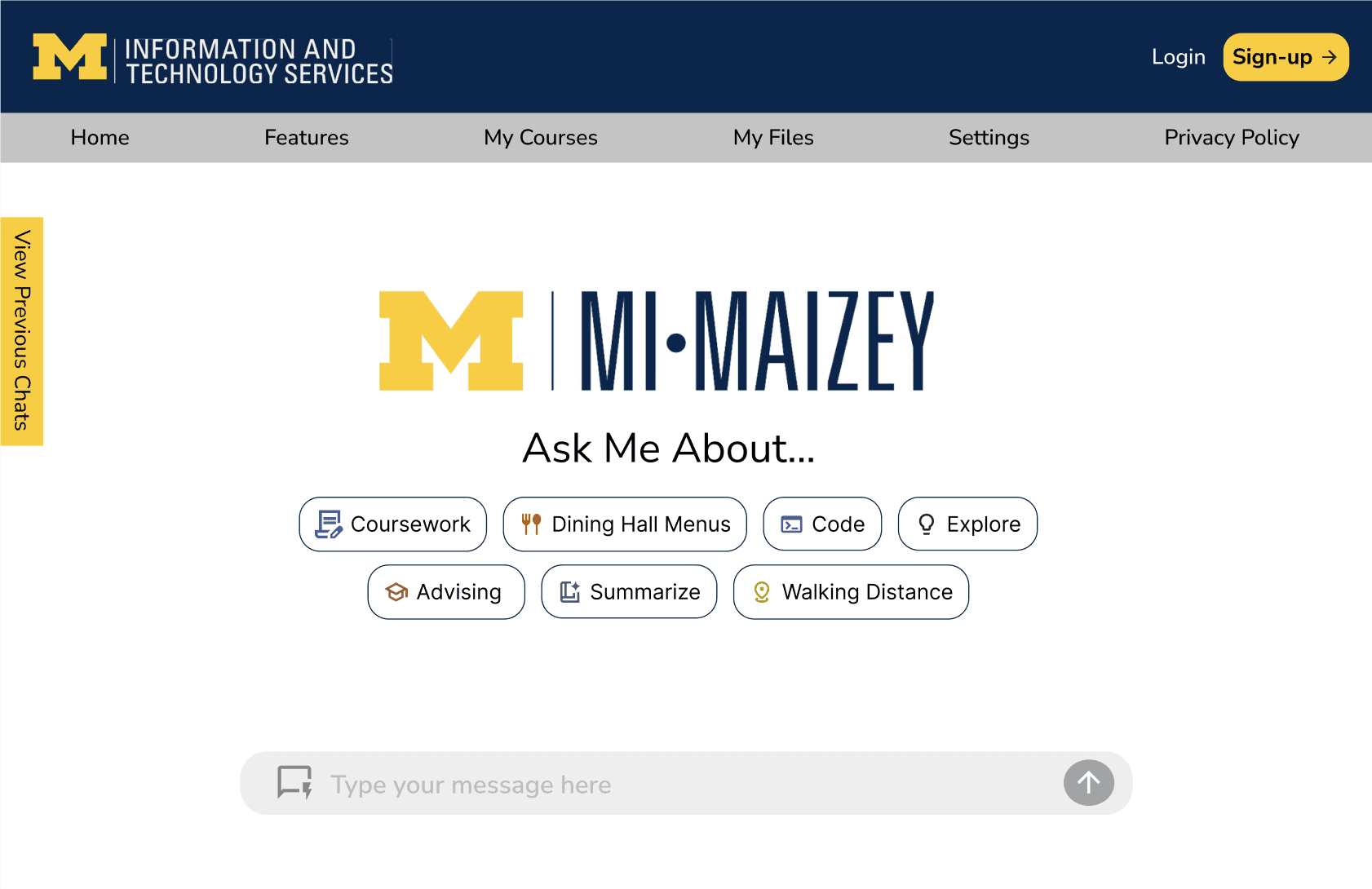
Mi-Maizey is the University of Michigan's AI-powered assistant designed to support students with academic and campus-related tasks. While its personalization capabilities differentiate it from other AI chatbots, the platform lacked a clear product vision and intuitive user experience.
The existing interface provided limited navigation, minimal feature discoverability, and few opportunities for users to personalize their experience. As outlined in the project brief, Mi-Maizey's capabilities remained largely undefined, making it difficult for students to understand its value beyond basic chat interactions. This inconsistency between the platform's potential and its interface risked reducing trust, engagement, and long-term adoption among the University's 50,000+ students.
My Goal
Design a more personalized AI experience that helps students quickly discover features, organize their information, and receive context-aware assistance while maintaining a familiar interaction model to minimize the learning curve.
Research
To better understand how Mi-Maizey could differentiate itself, I:
Evaluated the existing Mi-Maizey interface and identified usability gaps
Conducted competitive analysis of AI assistants including ChatGPT and other conversational AI platforms
Researched interaction patterns for productivity and educational tools
Applied Jakob's Law to balance innovation with familiar design patterns
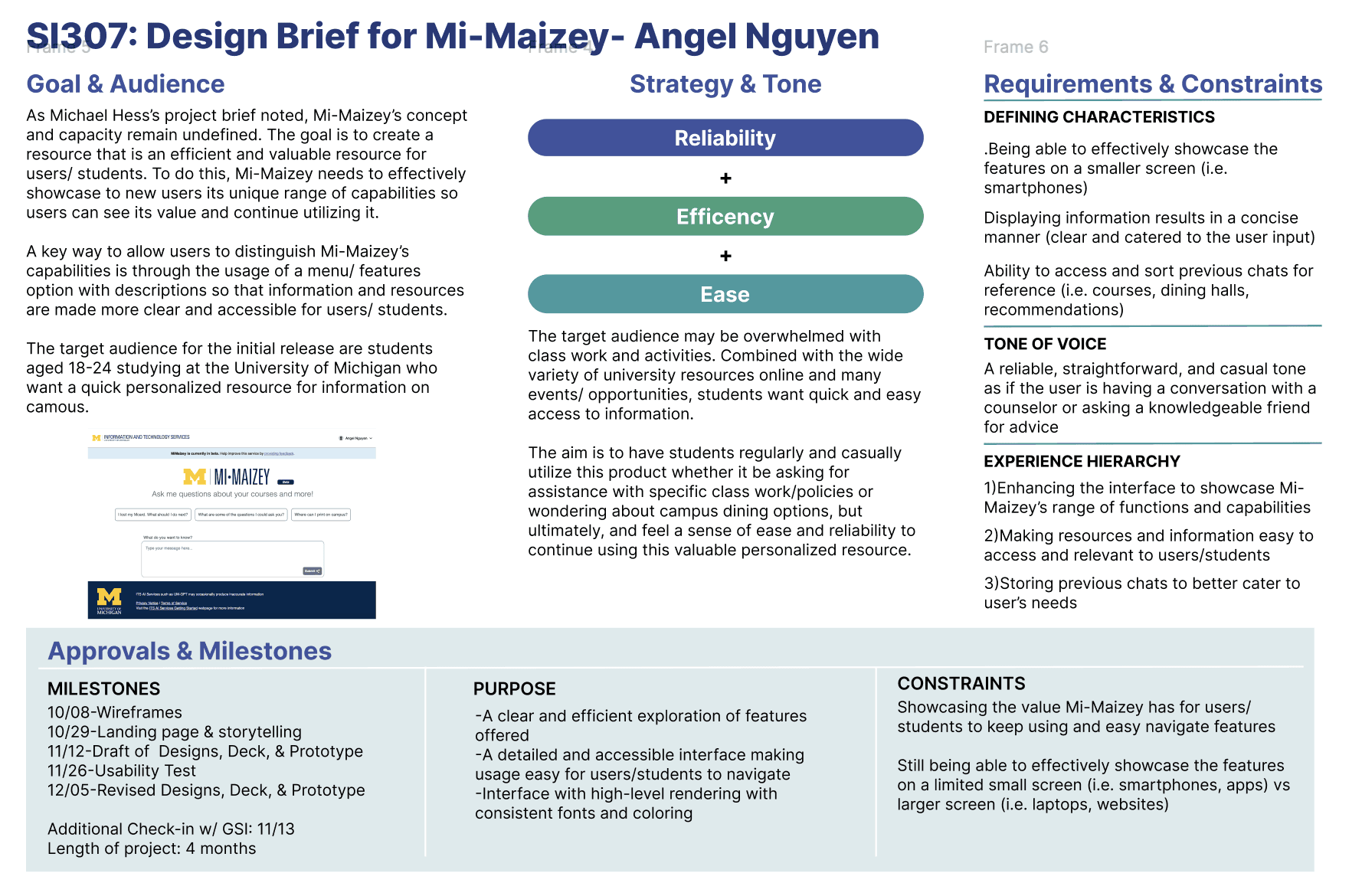
These findings informed a design focused on personalization, organization, and contextual assistance.
Design Principles
Throughout the redesign, I focused on three principles:
Personalization
Allow students to customize the platform around their preferences, academic materials, and conversation history.
Efficiency
Reduce unnecessary friction through quick-response modes, contextual recommendations, and streamlined organization.
Familiarity
Leverage interaction patterns students already know from products like Google Drive and ChatGPT, reducing cognitive load and improving discoverability.
Design System
To ensure consistency and align with the University of Michigan's visual identity, I developed a design system grounded in the university's branding guidelines.
Leveraged the University of Michigan color palette to create a familiar and trustworthy experience.
Established a consistent set of buttons, icons, navigation components, and input fields for a cohesive interface.
Defined typography, spacing, and component styles to improve readability and maintain visual consistency across screens.
Applied reusable UI components throughout the prototype to streamline the design process and support scalability.
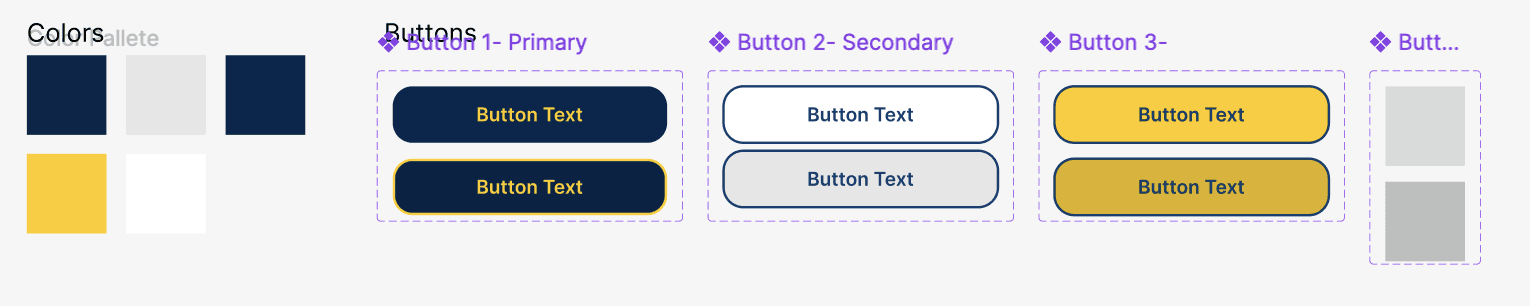
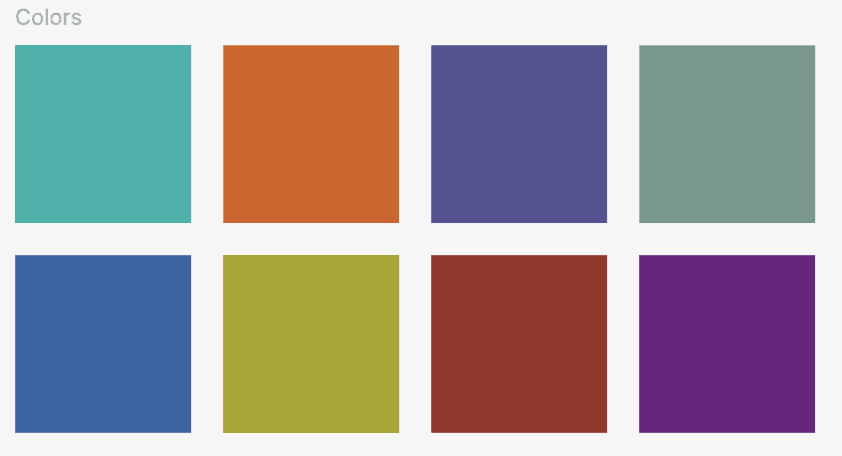
By adhering to the university's established branding while introducing modern UI patterns, the redesign felt both recognizable to students and consistent with the broader University of Michigan digital ecosystem.
Wireframing
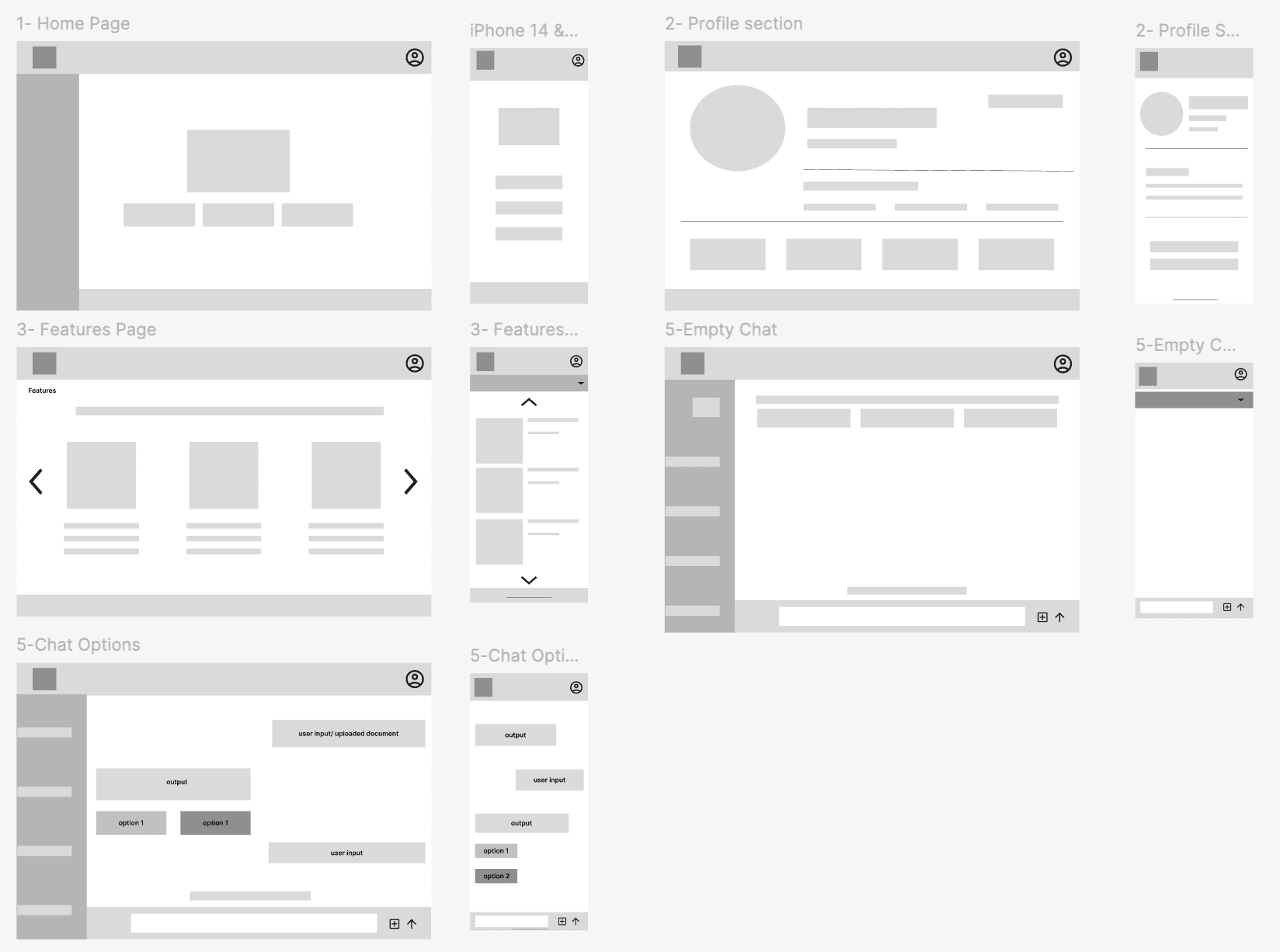
Version 1 – Layout Exploration
Created low-fidelity wireframes using basic blocking to establish page layouts, information hierarchy, and user flows.
Focused on determining the placement of key features before exploring visual details.
Version 2 – Feature Refinement
Expanded the wireframes by incorporating additional functionality, navigation patterns, and interactions.
Introduced iconography, logos, and more detailed UI elements to improve feature discoverability and better communicate the product's capabilities.
Refined the interface based on feedback and design rationale, creating a stronger foundation for the high-fidelity prototype.
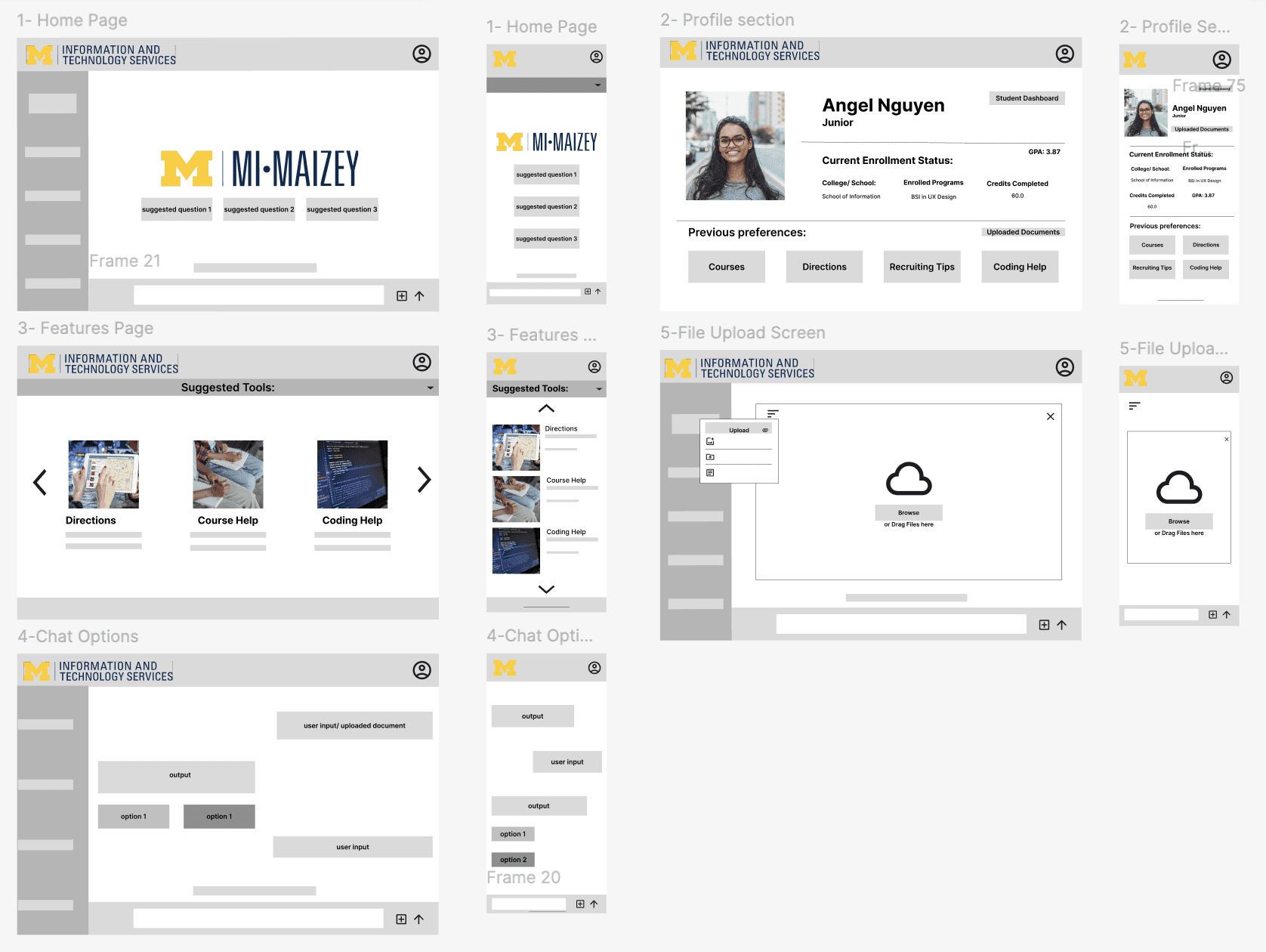
This progression demonstrates how the design evolved from establishing structure to creating a more intuitive and feature-rich user experience.
Key Design Decisions
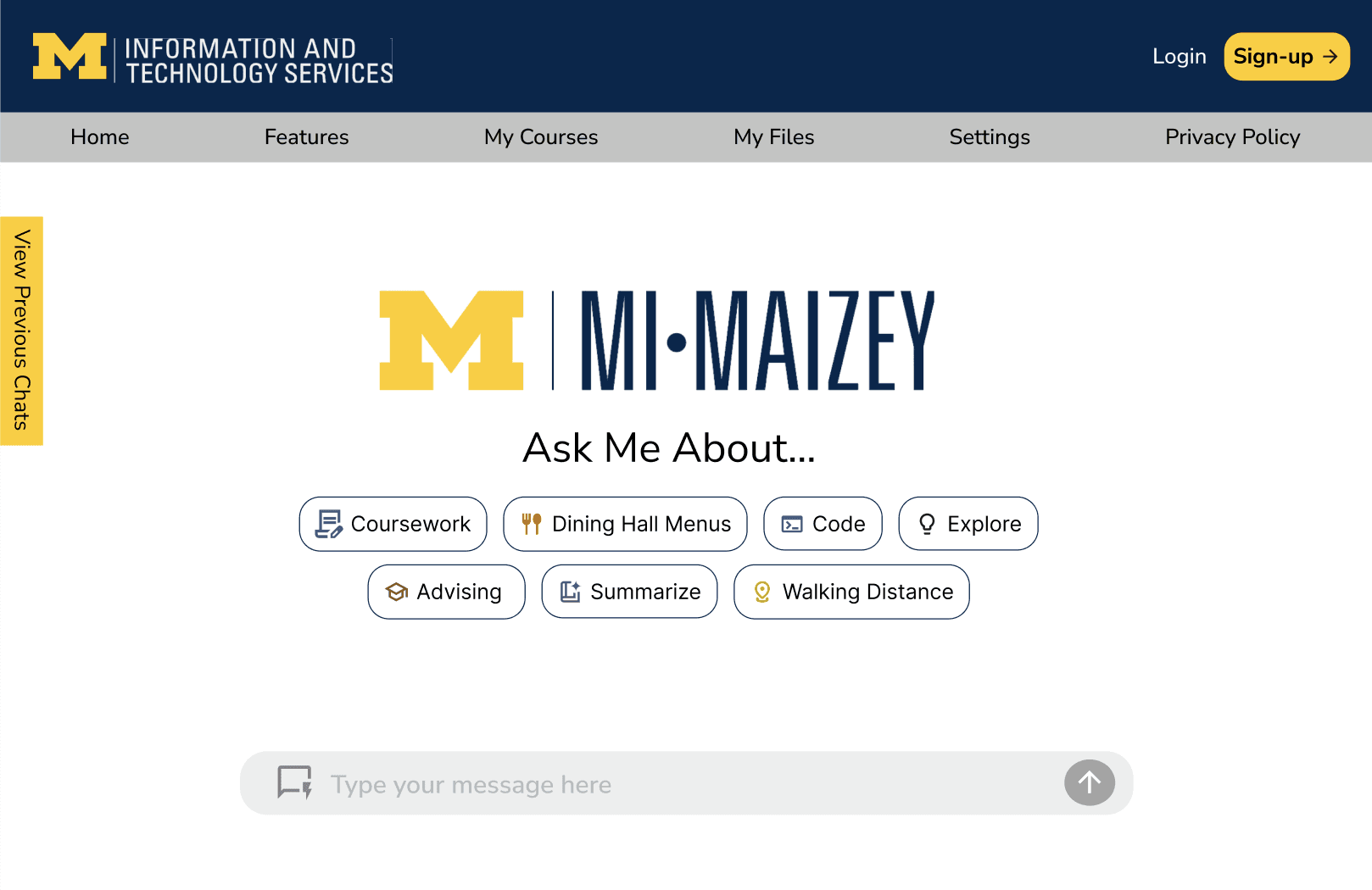
Flexible Chat Experience
Different situations require different levels of AI support.
Solution
Expanded the chat experience through personalization and organization.
Features included:
Quick Chat mode for fast, concise responses
Standard mode for detailed explanations
Organized chat folders instead of chronological-only history
Personalized profile settings and saved interests
Chat history and preference management
These additions allowed students to tailor Mi-Maizey to their own workflow rather than adapting to the product.
2. Context-Aware Campus Assistance
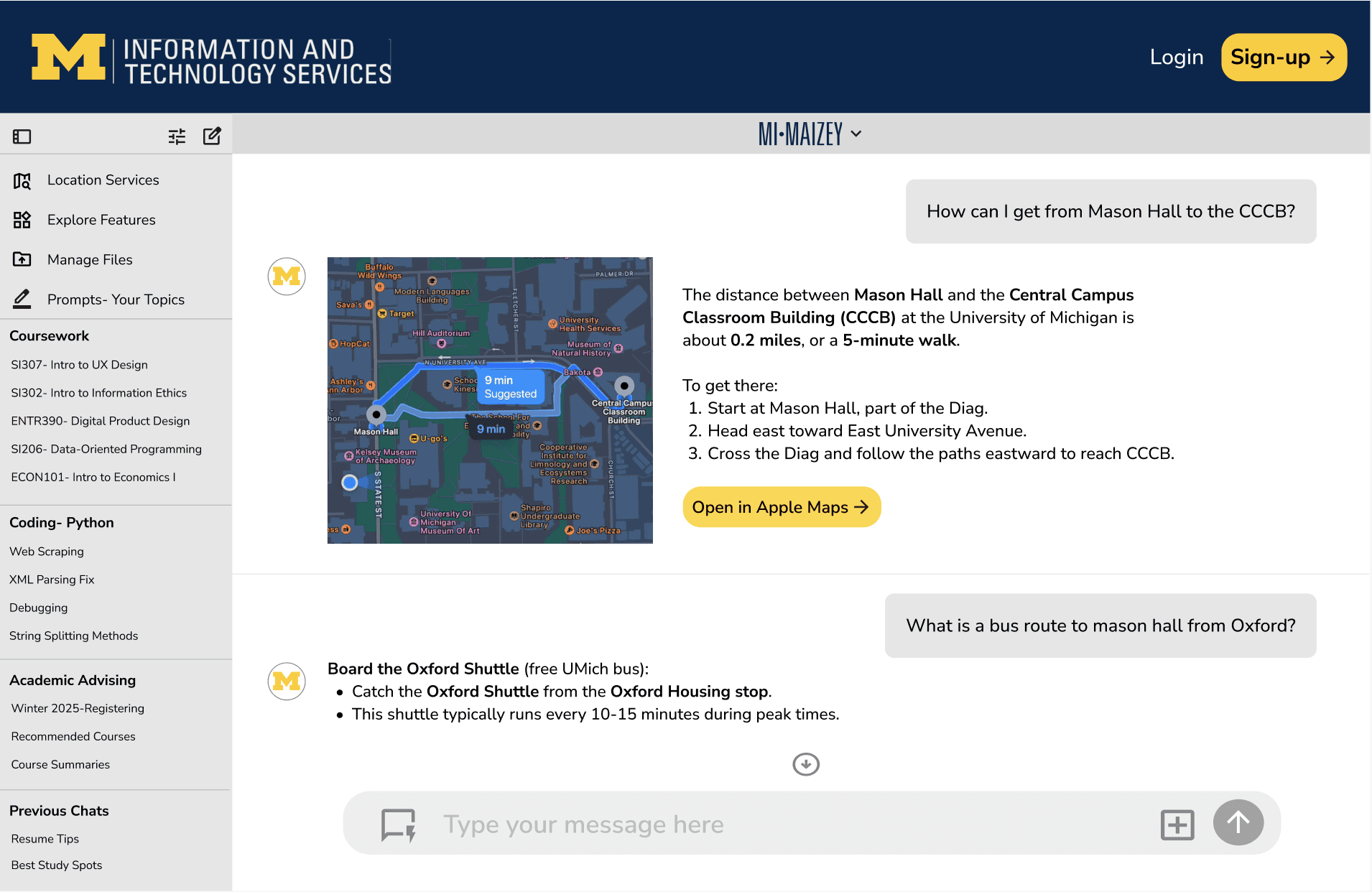
Students often ask location-based questions that require contextual information beyond a simple text response.
Solution
Introduced Location Services to personalize recommendations based on a student's current campus location.
Features included:
Campus-aware responses
Apple Maps and Google Maps integration for turn-by-turn navigation
Personalized dining, study space, and campus recommendations based on both user preferences and proximity
This shifted Mi-Maizey from a conversational chatbot to a contextual campus companion.
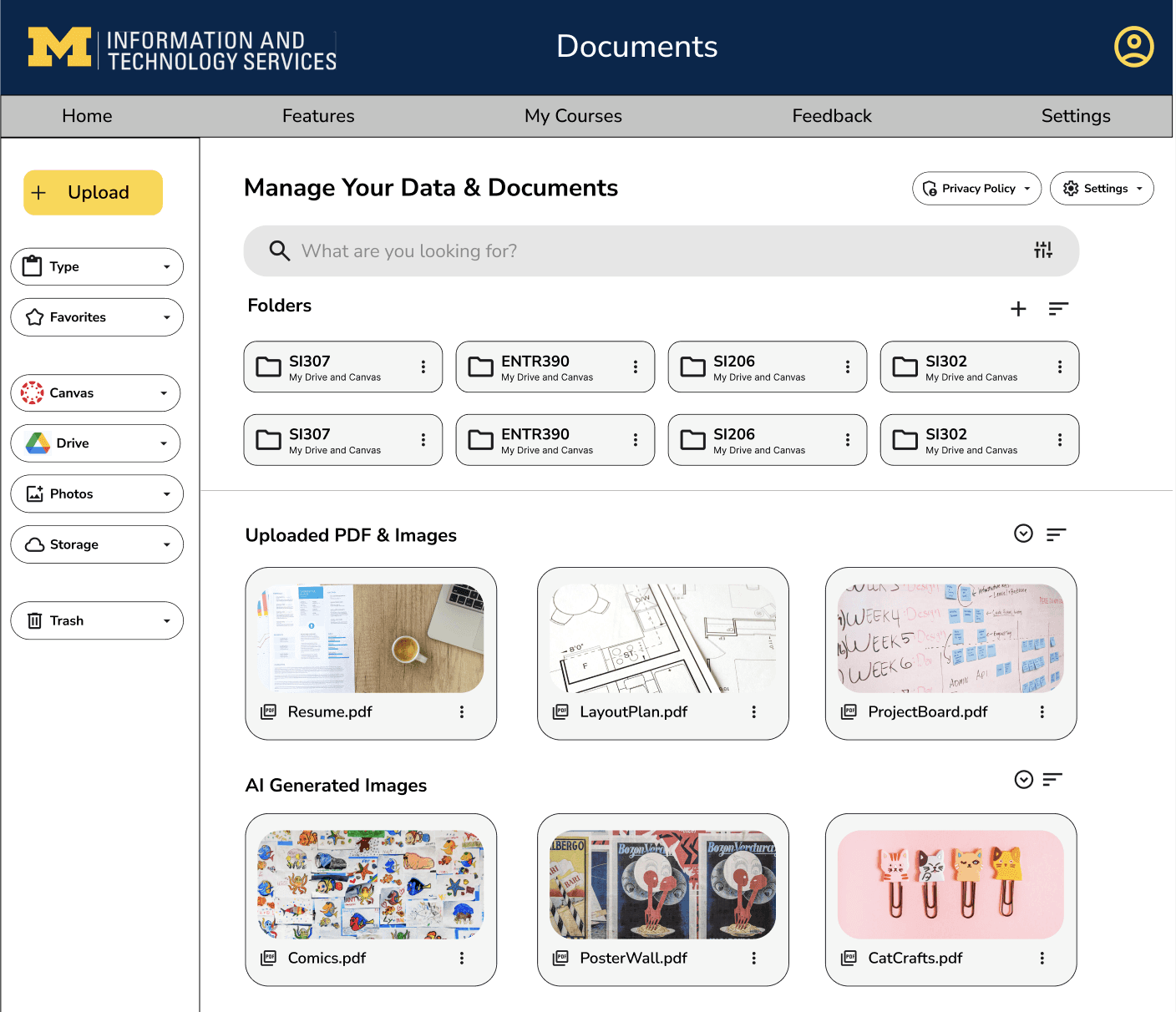
3. Personalized Data & Document Management
Students frequently reference assignments, lecture materials, and previously generated content while interacting with AI.
Solution
Designed a centralized workspace where users could manage documents and AI-generated assets.
Features included:
Uploading assignments and course materials for contextual responses
Folder organization similar to Google Drive
Permission-based document access for privacy
Dedicated gallery for AI-generated images
Providing persistent context reduced repetitive prompts and created a more personalized experience.
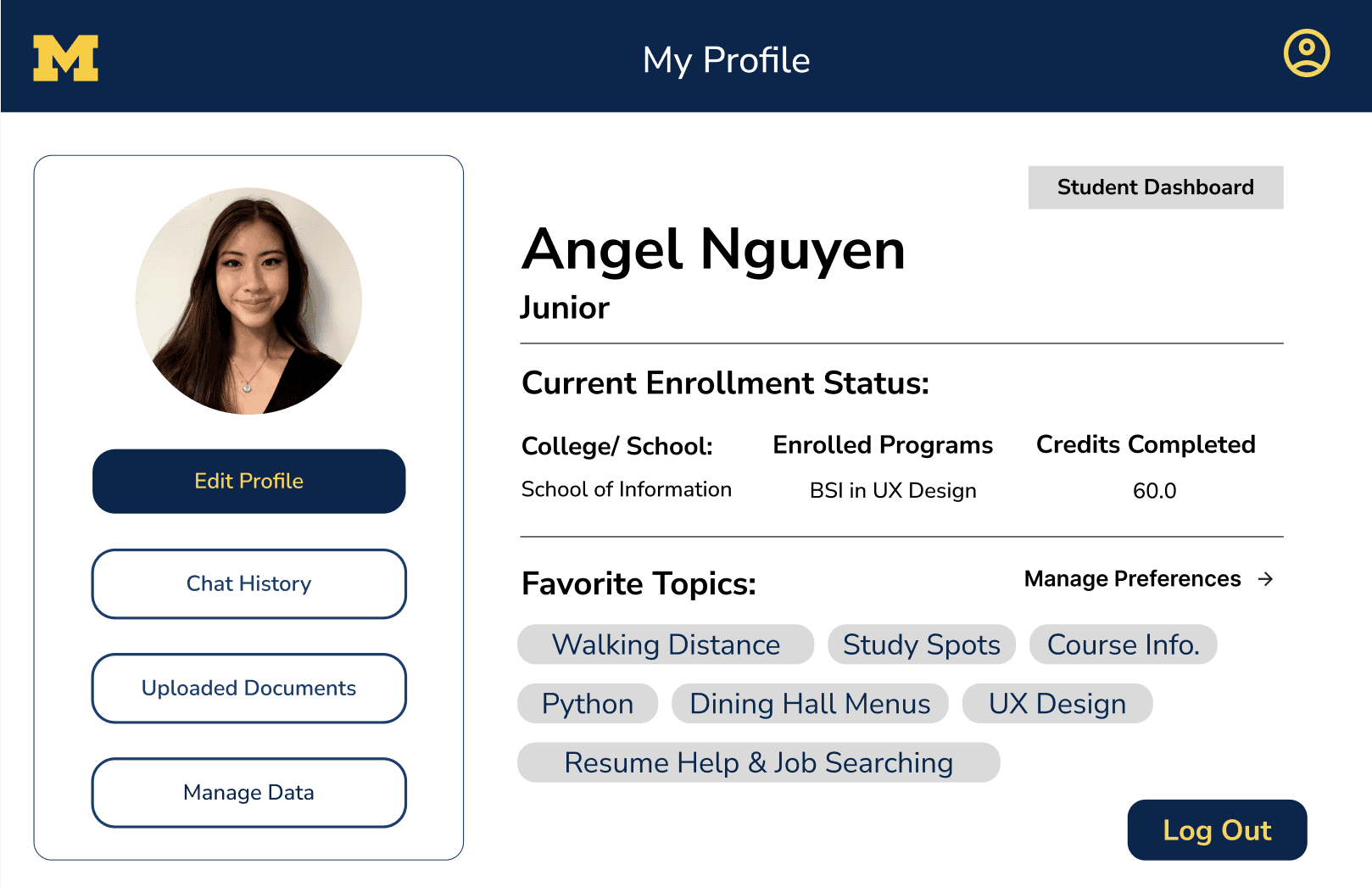
Personalized Profiles & Chat Experience
To create a more personalized AI experience, I designed a Profile Hub where users can:
Input preferences and interests to tailor responses.
Add current courses for more relevant academic support.
Access and manage uploaded documents, assignments, and generated content in one place.
Control which files Mi-Maizey can reference during conversations.
View and organize chat history with folders.
I also introduced Quick Chat Mode for concise responses and a standard mode for more detailed assistance, giving users flexibility based on their needs.
Final Solution
The redesigned Mi-Maizey transforms the platform from a simple AI chatbot into a personalized academic assistant. By introducing contextual campus recommendations, integrated document management, and customizable chat experiences, the redesign makes the platform more useful for students' everyday academic lives while remaining intuitive and approachable.
Reflection & Next Steps
This project was my first experience working with a real client, helping me understand the importance of balancing stakeholder goals, user needs, and project constraints. I learned how to translate a broad concept into specific product decisions while considering functionality, usability, and branding requirements.
As one of my first projects using Figma and interactive prototyping, I gained confidence in creating wireframes, building reusable components, and iterating through different design solutions. Although my design was not selected as the final solution, the process strengthened my understanding of designing within established systems and creating interfaces that feel familiar and intuitive to users.
Moving forward, I want to continue improving my prototyping skills, refining interaction design, and creating more consistent, scalable design systems. This project established a foundation for my product design process and reinforced the importance of thoughtful UI patterns, consistency, and designing experiences that effectively support user needs.